For research, projects, and curious minds
Your research.Put to work.
Bring your notes, papers, and questions. Find the evidence, turn it into a brief or study notes, and pick up where you left off. Set an automation when your work needs another look.
Free to start · Notes, chat, and research
Connected Chat
Ask one question. See the whole trail.
An answer is more useful when you can follow its reasoning. Bring your saved sources into the conversation, check the material provided, and pin a related idea for your next question.
What changed between my lecture notes and the newer research?
ILLUSTRATED EXAMPLE · TRY PINNING A SOURCE
Your notes from Lecture 6 treat the forgetting curve as bad news: memory just fades. The newer research is more hopeful—reviews at the right moments slow the fade, and sleep does some of the work for free.12
The useful connection: the curve isn't a verdict, it's a schedule. The research review you saved lays out three spacing plans that fit a normal week.
A real workflow · Demo project
From a good source to your next draft.
How do you turn a few gardening guides into a plan people can use? We asked Chunk for a community garden brief, saved the answer as a note, then edited the draft and checked its source links. Here is the working plan, with the next steps and open questions together.
Gather your sources
Start with a question and a few public sources worth building on.
Follow the evidence
Ask Chunk to work through them, read the answer, and follow its citations back to the original.
Make it your own
Save the answer as a note. Edit it into a brief, a decision, or something to study.
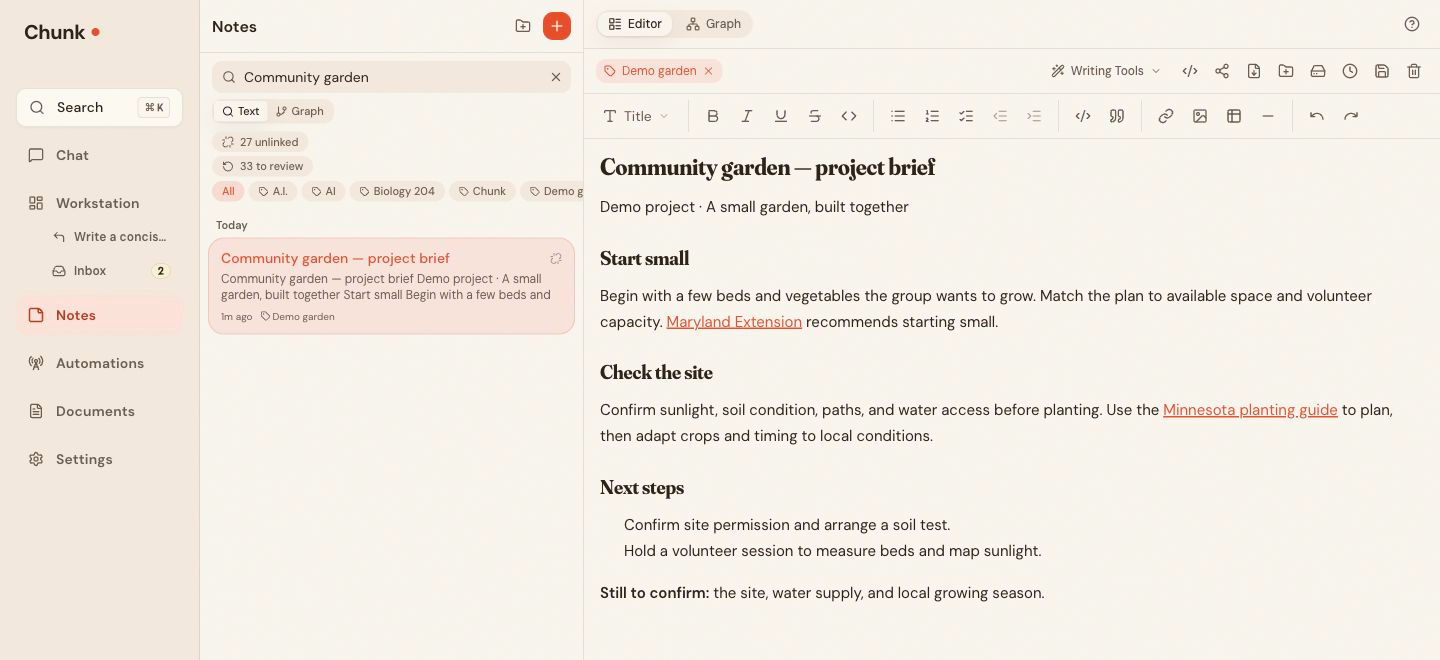
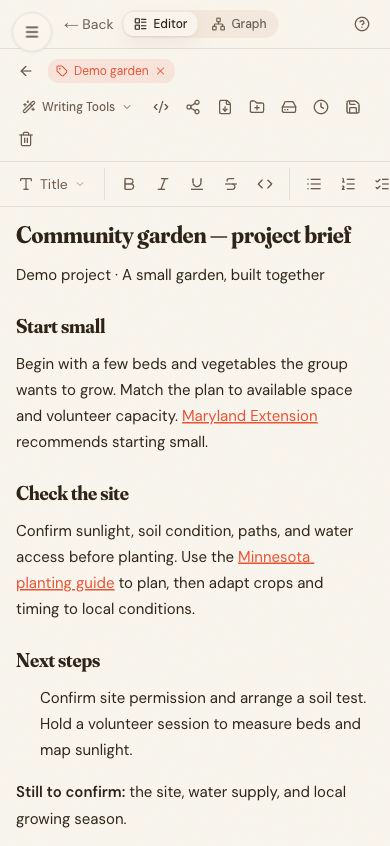
Mobile web · The garden brief and its sources in the Notes editor.
View full sizeMore than one way to use Chunk
Start with the problem you have today.
Cramming for a final, chasing a research question, or juggling a project—pick the tab that looks like your week.
For students
Turn a semester into something you can work with.
Bring your course material into one collection and ask with the sources you choose. With Pro, turn supported lectures, videos, and PDFs into notes, flashcards, and quizzes.
EXAMPLE · BIOLOGY 204
Cell signaling, made usable
Keep the lecture, slides, and notes in one collection. Create a flashcard set with Pro, then test yourself before the next class.
“I have ADHD and usually get overwhelmed trying to keep track of everything I read. Chunk helps me slow down and actually think through what I am reading.”
One workspace · many ways in
Use the parts that fit. They connect when you want them to.
Find a source, work through an idea, save the result, and return to it later. Each of these tools has a part to play.
Save to Chunk
Bring it in without breaking focus.
Clip a page. Forward an email. Share a PDF from your phone. AI suggests the title, tag, folder, and links; you decide where it goes.
Browser · email · share sheet · drag & drop
Connected Notes
Find the thinking behind the decision.
Write down the decision and link the ideas behind it. Wiki links, backlinks, and the graph help you find your way back.
Wiki links · backlinks · graph
Collections
One shelf for the whole project.
Keep sources, conversations, and saved outputs with the project. Choose what informs an answer and build on the work already there.
Sources · conversations · saved outputs
Artifacts
Turn a source into your study kit.
Use Pro to turn supported videos, audio, articles, and documents into notes, summaries, flashcards, quizzes, or concept maps.
Pro · five outputs · batch processing
Deep Research
Follow the question as far as it needs to go.
Choose the depth, tone, and citation style. Get a report you can revisit, export, and add to the rest of your workspace.
Free report types · deeper options with Pro
Automations
Keep the work moving after you leave.
Revisit a topic, watch a public page, digest your notes, or give a Pro agent a recurring task. Read the result and its updates in Chunk.
Research · watchers · digests · agent tasks
Also inside
Automations
Set the question once. Let Chunk keep watch.
A brief worth writing is often worth revisiting. Set the task, sources, and schedule. Come back to the current result, read each run’s summary, and compare saved versions when you need the detail.
Research
Revisits your question and reports its findings.
Watcher
Checks a supported public page for changes.
Digest
Resurfaces what you saved this week.
Agent Task
Prepares recurring work from your instructions. Pro only.
An illustrated night in Chunk
☾ TONIGHT · WHILE YOU SLEEP
2:14 AM · RESEARCH
New studies on spaced practice
3 worth reading, cited
3:02 AM · WATCHER
Conference registration page
student tickets are available again
4:26 AM · AGENT
Weekly project brief
drafted from your notes + fresh research
5:11 AM · DIGEST
Connections in this week’s notes
☾ nothing new worth sending — stayed quiet
☀ 7:30 AM
3 useful updates. Nothing you had to remember.
Why Chunk
Give your next project a head start.
The paper you found last month. The decision you wrote down. The brief you already checked. Keep them close, bring them into your next question, and spend more time moving the work forward.
Captured article
Inbox
Lecture notes
Note
Methods paper
Document
Weekly field update
Research automation
Saved to Chunk
READY TO BUILD ON
Free does real work. Pro does the heavy lifting.
Bring your first question to Free: notes, chat, and free research allowances. Pro adds deeper reports, source-to-study tools, recurring agent tasks, and more room for your projects. Cancel anytime.
Free · core workspace
$0
- 6 chat messages/day, shared with collection chat
- Notes, backlinks & knowledge graph
- Quick Outline, Standard Report & Resource List
- Attach a document to any message to analyze it
- Save to Chunk — 10 captures per day
- 1 project collection
- Automations starter — 1 recurring research, 3 page watchers, 1 weekly digest
- Export notes as Markdown
Pro · advanced tools
$99.99/yr
$8.33/mo, billed yearly
- Premium models + 200 chat messages/day, shared with collection chat
- Deep and Detailed Research with citations
- A searchable document library — up to 3,000 pages
- Expanded research, watcher & digest limits, plus agent tasks
- Expanded project collections
- Artifacts from video, audio & PDFs
- Save to Chunk — 100 captures per day
- 20 image generations per day
- Up to 500 AI memories
$99.99 billed yearly; renews yearly until canceled. Your notes remain available on Free if you cancel.
Your thinking stays yours.
We don’t sell your data or train AI on your notes. What Chunk remembers, it remembers for you—not for ads. Inspect it, edit it, delete it, or turn Memory off. Chunk makes money one way: when you love it enough to go Pro.
Take your work with you. Export supported notes, documents, conversations, and connections from Settings. Notes and research reports also have their own export controls. Delete your account directly in the app.
Same project. Different screen.
Save something from your phone, work through it on your Mac, and pick up the same project on the web. The useful context follows you.


Keep using the tools you already have—turn a researched brief into a Gamma deck, or connect Notion and find pages alongside the rest of what you've saved to Chunk.
Gamma and Notion connectors are in Beta with Chunk Pro. Requires an account with each connected app.
Bring your next question.
Start with a source you trust and a question you care about. Leave with something you can build on.
Free notes, chat, and research allowances · Pro when you need more